
For the situation that you would like to send an invitation to an event so that the recipients have the option to add the event to their calendar either Google Calendar, Outlook Calendar or other calendar apps.
There are 2 major calendar types that people commonly use:
- Google Calendar
- iCalendar (.ics is the most used file formats)
In order to let the recipients adding the event to their calendar, we need to send them the link for the Google Calendar and/or the .ics file for the Outlook Calendar or other calendar apps.
Here are the instructions on how to get the link and the .ics file to embed or send along with the email or the composer.
Generate a link for Google Calendar
- Browse to http://kalinka.tardate.com/
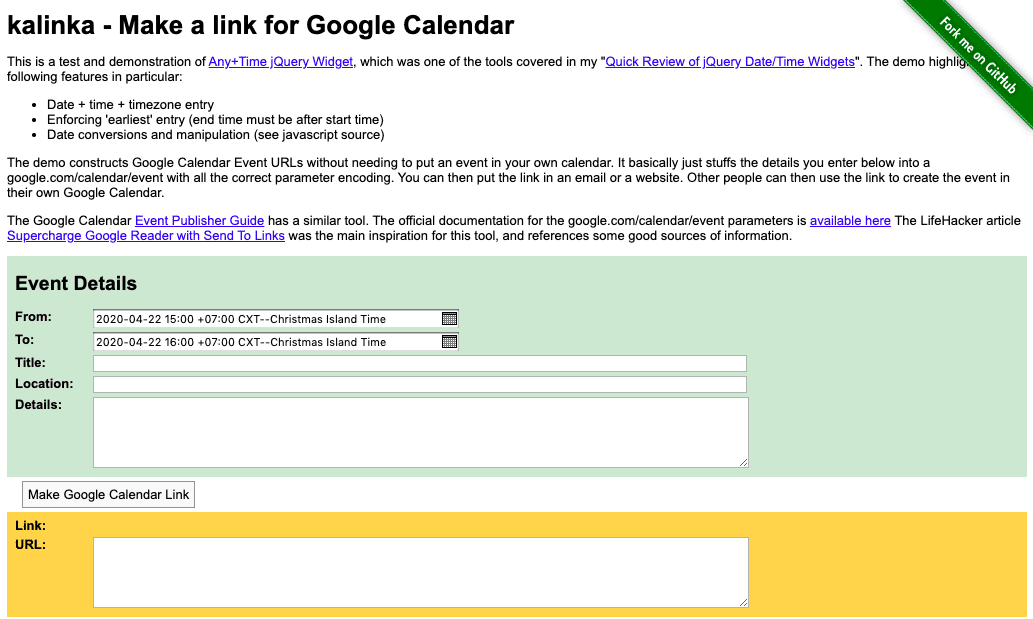
- Enter the event details; Date/Time, Event Title, Location, and Details.
- Click the “Make Google Calendar Link” button, then the link will be generated.
- You can click at the generated link to see how it looks on the Google Calendar.
- Copy the provided URL to embed it into your email or the composer.
Create iCalendar (.ics) file
- Browse to https://ical.marudot.com/
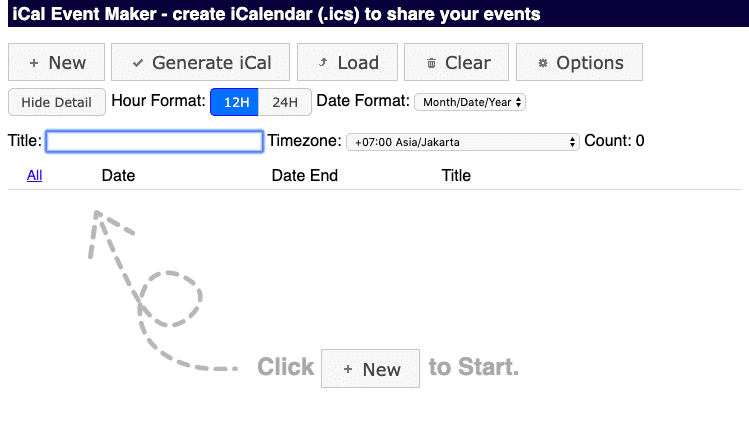
- Click “+ New” to create an event
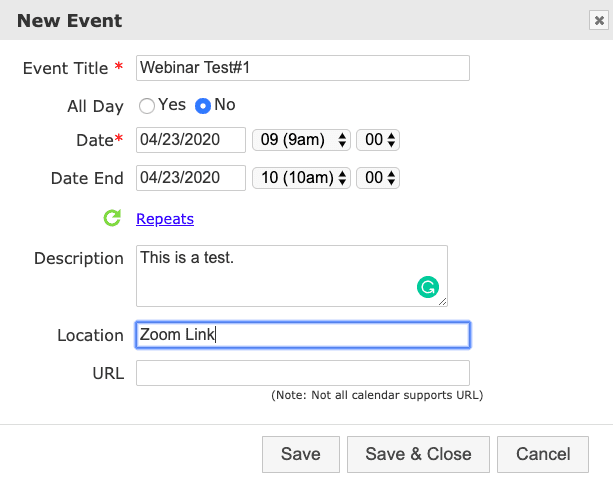
- Enter the event details; Event Title, Date/Time, Description and Location.
- Click “Save & Close”.
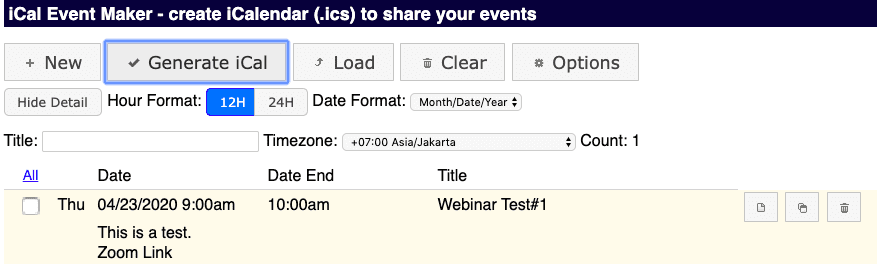
- Click on the “Generate iCal” button.
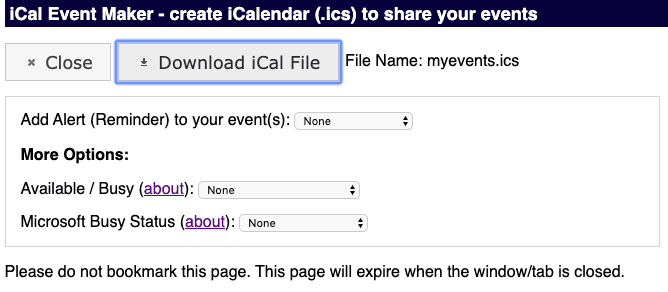
- Then click the “Download iCal File” button to get the .ics file.
- Attach this downloaded .ics file to your email or the composer.